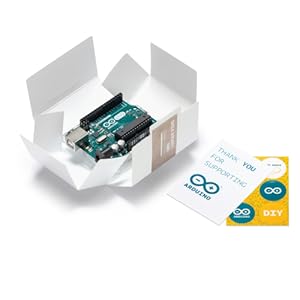
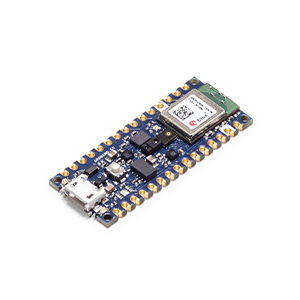
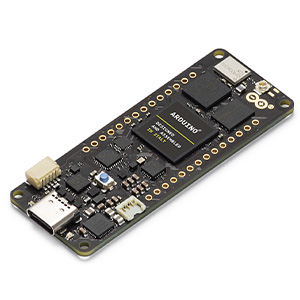
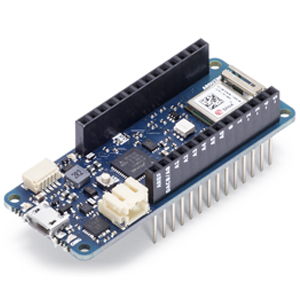
![Arduino MKR WiFi 1010 [ABX00023] - 32-bit ARM Cortex-M0+, WiFi & Bluetooth Connectivity, 250KB Flash, 32KB SRAM, Secure Element, 14 Digital I/O Pins, 6 Analog Inputs, Compatible with Arduino IDE](https://m.media-amazon.com/images/I/61eFBzWHYrL._AC_SL3840_.jpg)

Buy anything from 5,000+ international stores. One checkout price. No surprise fees. Join 2M+ shoppers on Desertcart.
Desertcart purchases this item on your behalf and handles shipping, customs, and support to Mexico.
🚀 Elevate your IoT game with the MKR WiFi 1010 — where power meets connectivity!
The Arduino MKR WiFi 1010 is a compact, 32-bit ARM Cortex-M0+ development board featuring integrated WiFi and Bluetooth Low Energy via the NINA-W102 module. It offers 250KB flash memory and 32KB SRAM, 14 digital I/O pins, and 6 analog inputs, making it ideal for advanced IoT and wireless projects. Fully compatible with the Arduino IDE, it enables fast, flexible prototyping with secure element support for enhanced security.


| ASIN | B07FYFF5YZ |
| Best Sellers Rank | #113,601 in Industrial & Scientific ( See Top 100 in Industrial & Scientific ) #204 in Prototyping Boards & Accessories #252 in Computer Motherboards |
| Brand | Arduino |
| CPU Model | Cortex |
| CPU Speed | 48 MHz |
| Compatible Devices | [Personal Computer, Smartphone, Camera, Microcontrollers (Arduino, Raspberry Pi)] |
| Connectivity Technology | Wi-Fi |
| Customer Reviews | 4.6 out of 5 stars 584 Reviews |
| EU Spare Part Availability Duration | 1 Years |
| External Testing Certification | Não aplicável |
| Item Dimensions L x W x H | 32.28"L x 23.62"W x 9.84"H |
| Item Weight | 18 Grams |
| Manufacturer | Arduino S.r.l. |
| Memory Storage Capacity | 0.03 GB |
| Mfr Part Number | ABX00023 |
| Model Name | Arduino MKR WIFI 1010 |
| Model Number | TIFCC0134 |
| Operating System | FreeRTOS |
| Processor Brand | Microchip Technology |
| Processor Count | 1 |
| Processor Speed | 48 MHz |
| RAM Memory Installed | 0.03 GB |
| RAM Memory Technology | SRAM |
| Ram Memory Installed Size | 0.03 GB |
| Total Usb Ports | 1 |
| UPC | 763004920025 |
| Wireless Compability | 802.11b |
J**F
Worked for us, flexible, just be aware it's 3.3v logic
For the record, the CPU on this board, if you want to read about it, is a SAM D21GxxA in the 48-pin TQFP package, where the "xx" is some number, possibly 18. This might be helpful if you want to look at the data sheet, which is called SAM_D21_DA1_Family_DataSheet_DS40001882F.pdf (you should easily be able to find it from this). This actual pinout of the chip is on p.22. Two distinct SPI interfaces are used on the board. One is the documented Arduino one, and the other is used to control the "NINA" chip which is an FPGA with most of the other board features in it. The WiFi feature has worked well for us, no issues. When I scan for networks, it doesn't pick up as many "fringe" (distant) networks as my Mac does, but that's to be expected with no external antenna. All in all a cool board; just be aware when you integrate with it that the logic signals are all 3.3 volts. I used an HCT-family buffer (74HCT244) to drive 5v logic. I plan on using this board again.
A**R
Another wonderful product from Arduino
Another wonderful product from Arduino. I really enjoy the products coming from Arduino, they challenge the mind for ideas. Thanks again for another awesome product from Arduino
T**Y
Most of the Functionality You Need!
The Arduino MKR WiFi 1010 is an Arduino Nano with integrated Low Emission Bluetooth (Bluetooth LE) and WiFi. I had been using an Arduino Uno Rev 3 but needed WiFi. After many failed attempts at integrating an ESP8266 module, I discovered this microcontroller on the Arduino site. Since the WiFi is already integrated, I could move on with my project. When the product arrived, I ported my code to the new board but found that any attempts to push valued to the EEPROM failed. This is because the MKR WiFi 1010 doesn't HAVE and EEPROM. There are supposed to be methodologies for using the built-in FLASH memory as EEPROM, but the notes I've found are very dubious in that they say there is a limit to the number of times you can do this. I elected to save the initial values as defaults in the code with the ability to adjust them through interactions. It makes for a clunky startup, but it addresses the issue in the short term. I will integrate and SD-Card reader to fill the void.
T**.
So easy to design with
Ove not played with electronics in a long time. Things have progressed leaps and bounds! I'm LOVING the Arduino community and all the various libraries available for inexpensive modules! It makes designing a product so much easier than it used to be! I'm designing a pretty cool product around this thing using BLE. I've only had it a short time and already made huge progress. Very pleased!
K**M
Easy to use + FirmwareUpdater
Using the product is easy. However, you must update the firmware and install the required library on Arduino IDE. Arduino IDE will smoothly guide you to install the required libraries, However, you need to manually install WiFiNINA (from library manger "Sketch>Include Library>Manage Library") WiFiNINA comes with the required firmwareUpdater example, upload it to the Arduino, then go to "Tools>WiFi101/WiFiNINA firmware updater", then follow the instructions to have your Arduino Ready to use :) Good Luck
B**N
Capable chip with heavy lifting already done
The greatest strength of the Arduino platform is unified support. This chip, like everything else I’ve used from Arduino, has worked perfectly out of the box and handled everything I’ve written for it using the Arduino IDE. To me, it’s worth paying extra for a chip with support versus using cheaper but unsupported chips like generic esp8266 products. Again, it’s a matter of preference. I can make everything work... eventually. My time has a price, too.
M**E
They got it right
This device really is ready for IOT work. The adoption of the ECC508 chip was a master stroke for security. My only problem was that the board was delivered defective, specifically the USB connector was misaligned. Since I have a surface-mount workstation, fixing it was effortless, but I don't envy those who lack those tools. For completeness' sake, I'll say the board arrived with all the convincing literature that it was a genuine Arduino and not a cheap copy.
S**O
Junk. TCP connections fail (as reported by many). UDP problems as well. AVOID.
What's the point of buying a wifi-enabled device if it can't maintain a connection on a local network? I have two if these. One uses UDP on a local network and seems to have no issues. (EDIT: no, not even that is true. Sending UDP packets works reliably. Receiving them causes the board to HANG, randomly, requiring a reboot. I ended up replacing all of these with ESP8266 based boards.) The other tries to use TCP on the same local network. Connections form, but randomly go bad, and the only fix is to reset the board. This isn't a problem with a flaky wifi signal (the access point is a few feet away and no other devices on the net are having any problems) or bad power (meanwell 5v 3a, more than enough.) It seems to be the radio firmware, and now that I hunt around the arduino forum I see others complaining about the exact same issue. Even low volume traffic (a few dozen bytes a minute) exhibit the problem, and it happens many times a day. I'm experienced with TCP and know how it's supposed to work. This simply doesn't qualify as a TCP implementation. If you write code that repeatedly tests the connection and detects when you aren't getting expected responses (aka, your protocol allows for ping and pong messages) you can detect when the connection has gotten stuffed and initiate a reset of the board from software. If you don't mind the device rebooting itself several times a day that might work for you. That's how people on the arduino forms work around the problem. It's not a viable solution for every situation. Arduinos in general are toys. Software libraries are written by whoever wanted to write one, often compile with serious warnings, and some are just not ready for prime time. When they work they work fine, and the hardware itself seems ok, But if you're used to the reliability of a Raspberry Pi, these things are a shock. And the software documentation likewise tends to be amateur hour, lacking basic information like return types, return values and error cases. Bottom like, this is a cute little toy that is not ready for any real world application. If you want to blink an LED, they're great, but at $44, laughably overpriced. I started using them because they won't corrupt their storage on a power fail, they way a pi can; but for the price you're better off using a pi with a battery backup. You'll save money, get rock solid networking and an implementation of unix with full documentation and extensive testing. Addendum: same problems with UDP - works for a time, suddenly returns a nonsense value for a message length and then nothing works again until a reboot.
Trustpilot
2 months ago
1 month ago