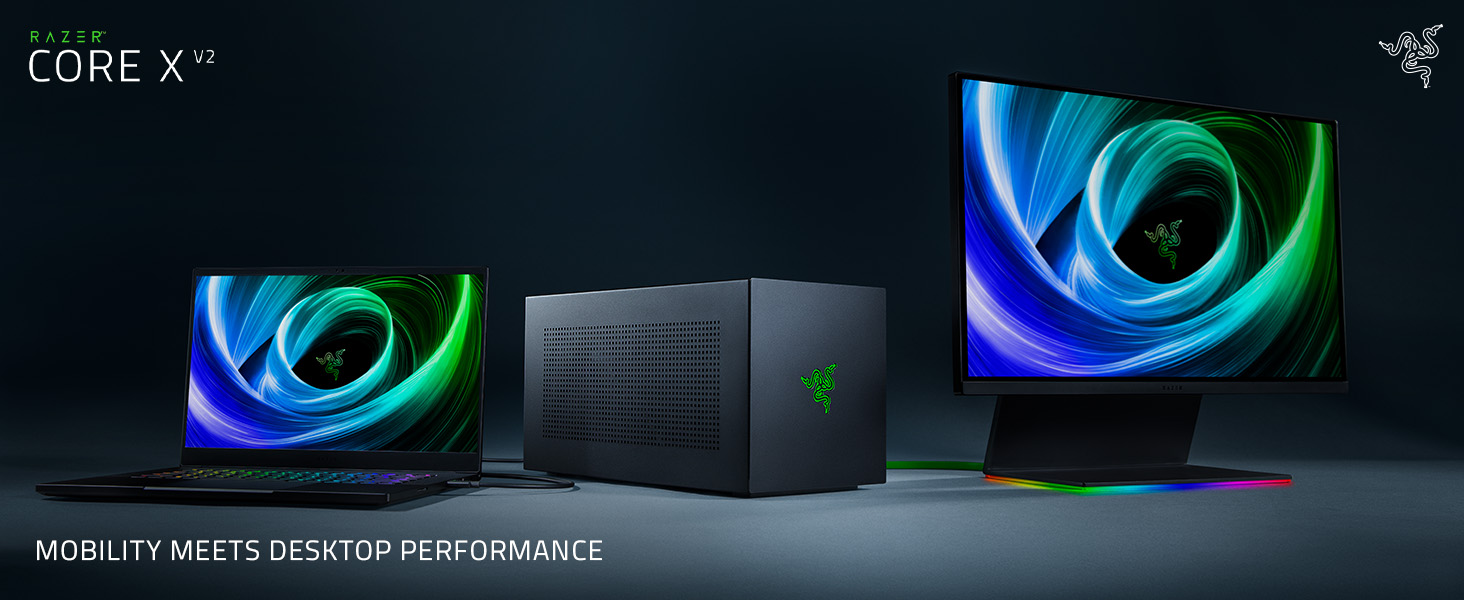
⚡ Supercharge your laptop, unleash desktop-grade power anywhere!
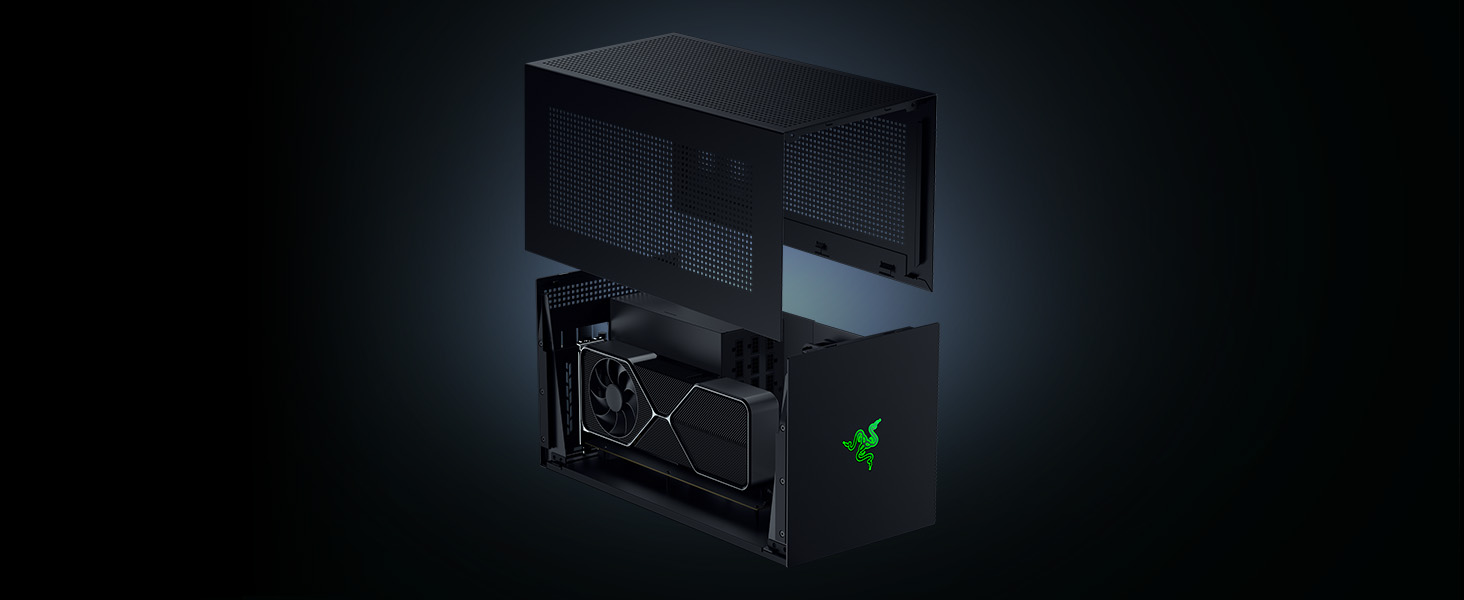
The Razer Core X V2 is a premium external GPU enclosure designed for Thunderbolt 5 laptops and USB4 devices, delivering up to 80 Gbps bandwidth. It supports large PCIe graphics cards up to 3.5 slots wide, housed in a vented steel chassis with active cooling for optimal performance. With a single Type-C connection, it offers plug-and-play convenience and cross-platform compatibility, making it the ultimate upgrade for professionals and creatives seeking desktop-level graphics power on the go.


| ASIN | B0FDBKH28X |
| Antenna Location | Business, Gaming |
| Best Sellers Rank | 35,526 in Computers & Accessories ( See Top 100 in Computers & Accessories ) 2,893 in Components & Replacement Parts |
| Brand | Razer |
| Brand Name | Razer |
| Case Type | Unknown |
| Case type | Unknown |
| Colour | Core X V2 | Black |
| Compatible Devices | Laptop, Desktop, GPU (NVIDIA GeForce, AMD Radeon) |
| Cooling Method | Air |
| Country of Origin | Vietnam |
| Customer Reviews | 4.0 out of 5 stars 328 Reviews |
| Enclosure Material | Alloy Steel |
| Internal Bays Quantity | 1 |
| Item Dimensions D x W x H | 42.1D x 19.7W x 21.6H centimetres |
| Item Weight | 3.92 Kilograms |
| Manufacturer | Razer |
| Material | Alloy Steel |
| Model Name | Core X V2 (w/o PSU) |
| Motherboard compatibility | ATX, Extended ATX |
| Other Special Features of the Product | LED Control Button |
| Power Supply Mounting Type | Bottom Mount |
| Product Warranty | 1 year |
| Recommended uses for product | Business, Gaming |
| Supported Motherboard | ATX, Extended ATX |
M**S
Neat, just works, USB ports provide external keyboard / mouse for single cable dock connection
Purchased so I could connect my work laptop and my other half’s work macbook to two 32” external 4K monitors and external keyboard & mouse. Does the job perfectly. Connection via a single Thunderbolt USB-C cable, which also charges each laptop. Costly solution given I have no interest in gaming but it worked first time and is simple to use. My use case is business: working large financial models in excel and personal: photoshop as keen amateur photographer. Hopefully someone will come up with a cheaper solution for this use case that ‘just works’ as this one does. Used an AMD Vega 56 graphics card so it works with both Mac and pc. Naturally Mac worked without even having to download drivers. Hideously expensive laptop but does just work. PC did require driver download. Product looks very neat too. Not full of hideous coloured plastic. Quite the contrary, all metal with high quality feel. Supplied Thunderbolt 3 cable is laughably short. I am waiting for a 2m Belkin cable, which should still provide 100w power. Very happy with purchase.
G**Z
Fits my needs perfectly, good upgrade
I have this powering a VEGA 64 with my MacBook Pro and it is working flawlessly. I was previously using the CORE V2 but this kept crashing due to the power draw of the VEGA 64, no problems with the new Core X Chroma. Its slightly larger than my previous enclosure but I have it sitting on my desk next to the monitor and it doesn't look too large to be out of place. The lighting rotates through it's various colours (I can't change this as the software to do so is not supported on MAC) and it looks the part. For me it's been whisper quiet so far, rarely do I even hear the fans spin up at all and even then only barely. Expensive, but comparable to alternatives and does a better job in my opinion.
A**N
Good, with limits
I got this to run an RTX4090, AIO liquid cooled. Obviously the whole package wouldn't fit but I managed to swap the PSU for a Corsair 1000 watt one and get the card in no trouble. A small section of the front plastic was removed to allow the cooling tubes to exit and the rad was mounted on the top. Looks mad, works well.
P**X
Don't buy for a Mac if you're expecting all the features to work
On paper this is the best eGPU for the Mac. Unfortunately it doesn't live up to the specs. I had several issues when using this with a MacBook Pro 2019: - Very frequent ethernet drop outs, this is a known issue and there's no current fix - Ethernet connection is not class compliant and requires a driver - Kernel panics when using a webcam to the USB ports - OS X not booting up when Chroma is connected - Razer support not able to resolve any of these issues - Razer support consistently giving me incorrect information - Ultimately, Razer support not seeming to take any responsibility for these issues Thankfully Amazon offered me a refund.
G**G
Works well in macOS and Windows
The device shows up immediately in macOS and attached GPUs works instantly with apps on the Mac. Performance is excellent with Final Cut Pro X and gaming, with the latter in both macOS (setting apps to prefer eGPU) and Windows. The supplied cable, while very short to allow it to be passive, delivers the full 40Gb/s over Thunderbolt 3, confirmed with System Information in macOS. I understand providing all the ports on one side, but this does lead to an awkward desk setup especially given the tiny 0.5m cable included in the box. Purchasing a longer cable is almost a requirement to be able to turn the enclosure around 180°, otherwise you're pointing the heat right at yourself and your laptop. Active cables are a necessity for the 40 Gb/s but they're expensive (£50+) hence the inclusion of a passive short cable. Windows has a harder time with consistent Error 12, and I wish Razer or someone could produce proper drivers that don't have this issue, but working around that gives an excellent experience.
C**A
Stunning when it works as expected.
So I can't overly complain as I am running this through a macbook pro and when it does work properly it seriously fires through as expected. Inside I placed an XFX AMD Radeon VII 16GB HBM2, 1750 MHz Boost, 1801 MHz Peak, 3xDP 1xHDMI Pci-E 3.0 https://www.amazon.co.uk/gp/product/B07NFGDZWQ/ref=ppx_yo_dt_b_asin_title_o09_s03?ie=UTF8&psc=1 The card took fine, the eGPU shows up in the menubar and handles everything I can throw at it. Bad bits.. Razer don't support anything for this enclosure for the mac. We use a 2019 Macbook Pro 16, when the eGPU is connected during boot the mac hangs at the Apple logo and goes no further. I have to unplug it, boot then plugin it back in. We are using it in a recording studio and this gave us the next headache. Our audio interfaces are Universal Audio Apollo x16's (4 of them, linked through a thunderbolt daisy-chain). When the eGPU connect to the mac it gives off huge interference through our studio monitors. After various hours trying to remedy the hissing, thinking it was an earth loop or just plain PSU/FAN noise we plugged the eGPU into the last slot available of the Apollo x16, the interference died immediately and became workable. Not an ideal solution as the units are housed in a rack, anyhow we got it working.. Another issue we have on the mac is the Ethernet, it just doesn't play nice and even downloading the mac drivers from the interface makers, no luck, so more functionality. However, as for running two 32 monitors in 4k it holds up fine, even when pushed to the limits with intensive animations.. Would I buy again, nope but it took so long to get it working, we are invested.. At some point it will have to go but for now we can work around it.. Not that we should have to right..? Having said all that, we haven't ruled out the noise could be from the card itself???
J**N
Power Supply Cable?
It works perfectly. The ridiculous point however is that they sell it without a power supply cable. SO BE AWARE YOU NEED TO BUY THE POWER SUPPLY APART. I understand to get your own graphic card and thunderbolt usb-c cable, but common not even the power cable!? Once I got one to turn it on however, the product is great. Easy plug in play. Very happy with it and recommended it
R**L
Working with a Mac Mini 2018
I used this to replace the weedy integrated Intel graphics with something that can handle 2 4K monitors on HDMI. Most of the work is done by the gfx card, rather than the caddy, so to concentrate on the chassis: * Really easy to fit both an Asus ROG nvidia GT1050Ti and an AMD 580 * The included power cable is nothing amazing (like silicon sleeved), but it does the job with a firm connection to the unit's PSU. * The included Thunderbolt 3 cable is 50cm long, so if like me you have a standing desk, be prepared to with spend £60 on a good quality TB3 2m cable, £10 on 2 HDMI 2m cables or make a decent space on the top of the desk, about 2x the footprint of the Mac Mini. * The PSU is almost silent under load, <20DB * Ventilation is good through the chassis, which helps the gfx card stay a little cooler
Trustpilot
1 week ago
3 weeks ago