⚙️ Elevate your DIY scale game with precision and power — don’t get left behind!
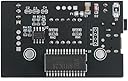
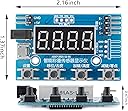
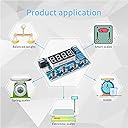
The HX711 Digital Load Cell Module is a compact, high-precision 24-bit A/D converter designed for Arduino-based weight sensing applications. Featuring strong anti-interference capabilities, minimal temperature drift, and comprehensive protection functions, it supports up to four 350Ω load cells and offers flexible power options including Micro USB. Ideal for engineers and makers seeking reliable, professional-grade weighing and mechanical testing solutions.


| ASIN | B09Z29TK7J |
| Item model number | HX711 |
| Manufacturer | EC Buying |
| Product Dimensions | 5.49 x 3.51 x 1.19 cm; 13.04 g |
J**R
Makin stuff works well and is accurate
J**R
ZERO instructions. Not one piece of paper. 14 connection points with zero idea of functionality. voltage requirement not specified. Not even a clue about a data sheet.
R**Y
I'm calling it five stars with the caveat that you need to be able to look at the pins (every one is labeled) and realize that 5V and GND means it takes a five volt power supply. With that in mind, the board is super easy to set up. Connect the load cell (again pins are labeled) , plug in a 5V supply, and turn it on. Press second button TARE to zero. Press fourth button to set 0 reference. display should be 0. Press 1st button to store. Add a known weight. Then Press third button. Set display to the weight value. Press 1st to store. That easy.
H**T
Nice little unit, very versatile with the following options: Power: - Micro USB - .1" Header - Barrel Plug Data: - Display - TTL serial What it doesn't have: - Unit conversions (or any units at all) - Data over USB - this won't work as a USB-based scale. It works with any resistor bridge load cell, with or without the HX711 instrumentation amp. (This covers just about all load cells out there) There isn't a weight limit with this, the weight limit is dependent on the load cell you are using. The data will also display accurately in the negative direction as well (i.e. pulling on a compression load cell) Whether this will damage the load cell depends on the load cell you have, but this unit will still work. I've attached a better description of the buttons since theirs are not very clear. Tap function is listed, then the press and hold function in parenthesis. To set this up: 1. Connect load cell then power to the board 2. Press and hold "(Settings)" to access parameters 3. Set parameters as desired. Press "Up"/"Down" to change parameter value, Press "Enter" to save value Press "Left" to go to the next parameter. 4. Press and Hold "(Settings)" to access parameters 5. Remove force from load cell, then press and hold "(Calibrate 0)" 6. Set the value to 0 or your "neutral" value 7. Press "Enter" to save value 8. Add a calibrated force to the load cell, then press and hold "(Calibrate Weight)" 9. Set the value to the weight or force in whatever unit you are working in. 10. Press "Enter" to save value 11. Remove the weight/force, then Press and hold "(Tare)" to reset to 0 (or your "neutral" value) Note: Fully recalibrate if you swap load cells with a different capacity and/or mV/V rate, but you should only need to tare if you swap with an identical load cell.
K**R
This looking like a great product. It is well made. But there are no instructions available anywhere (with it nor on the internet). The only thing available is a YouTube video in Chinese. I do not recommend!
Trustpilot
5 days ago
2 months ago