


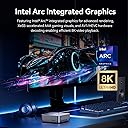
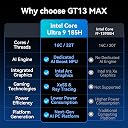
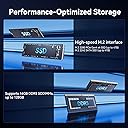


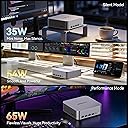
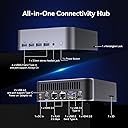


GEEKOM GT13 MAX Professional Workloads Mini PC, Intel Ultra 9 185H|DDR5
Product ID: 770045064
Details
- BrandGEEKOM
- CPU ModelIntel Core 9
- CPU Speed5.1
- Cache Size24 MB
- Graphics Card DescriptionDedicated
- Graphics CoprocessorIntel ARC
Desertcart purchases this item on your behalf and handles shipping, customs, and support to Mexico.
desertcart.com: GEEKOM GT13 MAX Professional Workloads Mini PC, Intel Ultra 9 185H|DDR5 | 16GB RAM 1TB SSD|Mini Computer for AI,IT Deployment,Game,8K Video Editing|Intel Arc GPU|Dual 2.5G LAN|WiFi 7&BT5.4|SD Slot : Electronics Review: Solid Mid-Range Mini PC - This is a surprisingly capable little PC for desktop productivity, media / HTPC, and some content creation or light gaming workloads. It's an Intel NUC-style mini PC built around the Core i5-8259U processor, which is a 28W CPU with an unusually large graphics processor (branded Iris Plus 655) - a custom config Intel made for Apple's MacBook Pros a couple cycles ago. The IT8 delivers pretty decent overall CPU performance. I tested it against a Dell XPS 13 featuring a Core i7-10710U (a 6-core, 12-thread 10th-gen Intel chip), and the IT8 is, surprisingly, actually faster in sustained multithreaded CPU workloads (Cinebench R23 ST/MT was 945/4010 vs. 1014/3333 for the Dell). The Geekom also beat the Dell by 20-30% in web browsing performance tests, which is quite respectable. On the graphics side, keep in mind this is still an Intel integrated GPU, so it will not match a discrete AMD/Nvidia graphics card, but the Iris Plus 655 is a big step up from Intel's normal 14nm iGPUs - often delivering 1.5-2x the graphics performance of the Intel UHD 620 in the XPS 13's Core i7-10710U chip. It is still a bit behind the highest-spec Radeon Vega iGPUs in competing quad-core AMD APUs, but it's in the same ballpark, and you get slightly better CPU performance on this. Also, the IT8 has the advantage of Intel QuickSync, which certain applications (like Blue Iris for home security cameras) greatly benefit from. Media playback at up to 4K 60 Hz is smooth. Idle power draw is just 9W, which is not bad, and under light web browsing, hits around 15W on average. Noise levels are also decently managed, though the PC is definitely not silent. The fan is always on; under light loads, it's noticeable only if located next to you in a quiet room. At full load, it's definitely quite audible (as with all actively cooled mini PCs), but not annoyingly so. The port selection is fine - on the rear, two USB 3.2 Gen 2 (10 Gbps) A ports, one USB-C port with USB 3.2 Gen 2 data and DP video support, an HDMI, MiniDisplayPort, 1 Gigabit Ethernet port (driven by an Intel i219-V chip, which works great), and the 19V DC barrel jack power input. On the front, there's a USB-A and USB-C port (both 3.2 Gen 2, and the C port supports video), a 3.5 mm headphone/mic jack, and the power button. There's also an infrared receiver, which could be neat for HTPCs in particular, and a full-sized SD card reader. A couple of additional USB 2.0 ports might've been nice for keyboard/mouse purposes. There's no Thunderbolt support, but with the HDMI, Mini DP, and two USB-C ports, this thing has four display outputs, all capable of 4K @ 60 Hz, which is pretty impressive. Inside, the Wifi chip is the Intel AC 7265, which works reliably and offers 2x2 Wifi 5 and Bluetooth 4.2 but is, unfortunately, soldered to the motherboard and cannot be upgraded (e.g., to Wifi 6 or 6E). The NVMe SSD is fast enough for most use cases, and there's an available 2.5" bay inside the case if you want to add a 2.5" SATA hard drive or SSD for additional storage. One puzzling thing is that the 16 GB of RAM came as one 16 GB stick in single-channel, which reduces RAM bandwidth vs. having two 8 GB sticks in dual channel. On the plus side, Geekom includes a VESA mount, so you can easily mount the PC behind your monitor (or your wall or elsewhere). On the software side, the Geekom came with a clean installation (no bloatware- hurrah!) of Windows 11, and specifically Windows 11 Professional, which is great - many PC makers ship the Windows Home OS instead of Pro, then you need to spend up to $100 extra if you want features like Windows Sandbox, inbound Remote Desktop, etc. Overall, the IT8 has worked well for most use cases. If you need more CPU or GPU performance in a mini PC, your best bet would be something with the latest 8-core AMD Ryzen 5000 CPUs, but those tend to be much more expensive (and usually larger too). This offers a nice middle ground option at a relatively affordable price. Review: Solid Mini PC, rivals NUC in all aspects - I got into Mini PCs a few years back, and have been using a similar Intel unit. Since I needed another one, this fit the bill since it was preloaded with RAM and SSD (the NUC didn't come with any). From the unboxing to the performance, it met all my benchmarks. Exact same footprint as the slim NUC, only slightly thicker since it supports a 2.5" drive; should come in handy when I need extra space. Solid metal VESA mount is included, as well as all mounting hardware - video of mounting included, in 10 seconds it locks in to become a compact iMac alternative. I/O is abundant, with USB-C on front and back, 2 USB-A on the back and 1 on the front, HDMI, gigabit ethernet, 3.5mm and Mini DP which was a nice surprise. Opening up the unit we see the Kingston M.2 and RAM. A single 16GB stick was installed, which I actually prefer to 2x8GB since any added RAM becomes dual-channel, and 32GB is possible without sacrificing the current stick. Super easy to access with only 4 philips screws, just be careful of the 2.5" ribbon cable. Performance more than meets my needs for everyday tasks. The i5-8259U is a nice jump over the laptop equivalent with the Intel Iris 655. Chrome with 10+ tabs is no problem, Photoshop never felt slow, and YT videos play at full resolution. While gaming may need to tweak settings slightly, Starcraft 2, Tetris Effect, Minecraft all ran great, as well as the Dolphin emulator at full speed. Windows 11 Pro is included, my first experience with Win 11 but an easy transition. If you want the old start menu back, look up Open Shell which has options for that. For the fan, it only kicks up during intense workloads but most of the time is quiet and unobtrusive. Very similar curve as my expensive Intel box and about par for the course for mini PCs. No issues here. Overall a great little device. I was ready to spend a lot more on another Intel box, but this is a fully specced out unit at a lower price point. Quality build, plenty I/O and expandability, zips along with Win 11 and some light gaming potential with the Iris GPU. If this is your first mini PC or you need another box I'd definitely recommend it.


| ASIN | B0FM3H562T |
| Additional Features | AI-driven capabilities, High-end processor, Large RAM and storage, Advanced graphics, Multi-display support, Latest OS |
| Aspect Ratio | 16:9 |
| Best Sellers Rank | #2,535 in Computers & Accessories ( See Top 100 in Computers & Accessories ) #72 in Mini Computers |
| Brand | GEEKOM |
| Built-In Media | 1 x GT13 MAX Mini PC |
| CPU Model | Intel Core Ultra 9 185H |
| CPU Model Number | U9-185H |
| CPU Speed | 5.1 |
| Cache Memory Installed Size | 24 MB |
| Cache Size | 24 MB |
| Color | Gray |
| Compatible Devices | Gaming Monitor, Keyboard, Monitor, Speaker, Television |
| Connectivity Technology | Bluetooth, Ethernet, USB, Wi-Fi |
| Cooling Method | Air |
| Customer Reviews | 4.2 out of 5 stars 523 Reviews |
| Display Resolution Maximum | 7680x4320 pixels |
| Display Type | External |
| Global Trade Identification Number | 00810190722138 |
| Graphics Card Description | Dedicated |
| Graphics Card Interface | PCI Express |
| Graphics Card Ram | 16 |
| Graphics Coprocessor | Intel ARC Graphics |
| Graphics Description | Dedicated |
| Graphics Ram Type | DDR5 SDRAM |
| Hard Disk Description | SSD |
| Hard Disk Interface | PCIE x 4 |
| Hardware Interface | 3.5mm Audio, DisplayPort, Ethernet, HDMI, USB |
| Human-Interface Input | Buttons |
| Item Dimensions | 8.94 x 6.92 x 5.27 inches |
| Item Weight | 1.67 kg |
| Keyboard Description | No Keyboard Included |
| Keyboard Layout | QWERTY |
| Language | English |
| Manufacturer | GEEKOM INC |
| Memory Clock Speed | 5600 MHz |
| Memory Slots Available | 3 |
| Memory Speed | 5600 MHz |
| Memory Storage Capacity | 16 GB |
| Model Name | GT13 MAX |
| Model Number | GT MAX Series |
| Model Year | 2023 |
| Native Resolution | 7680 x 4320 |
| Number of Component Outputs | 4 |
| Operating System | Windows 11 Pro |
| Optical Storage Device | BD-R DL |
| Personal Computer Design Type | Mini PC |
| Power Plug Type | Type A - 2 pin (North American) |
| Processor Brand | Intel |
| Processor Count | 16 |
| Processor Series | Intel Core Ultra 9 185H |
| Processor Socket | BGA |
| Processor Speed | 5.1 |
| RAM Memory Installed | 16 GB |
| RAM Memory Technology | DDR5 |
| RAM Type | DDR5 RAM |
| Ram Memory Maximum Size | 128 GB |
| Resolution | 7680 x 4320 |
| Security Features | Windows 11 Pro security features |
| Speaker Description | External Audio Output via HDMI / 3.5mm Audio Jack |
| Speaker Type | No Built-in Speakers |
| Specific Uses For Product | Home, Business, Office, Education, AAA Gaming, Photo Editing, Video Editing, Daily Use,Multimedia,Multimedia,Healthcare, Manufacturing, Retail, Edge Compute, Productivity, Creativity, Gift |
| Specification Met | True |
| Style Name | Modern Professional |
| Total Number of HDMI Ports | 1 |
| Total Usb Ports | 8 |
| Unit Count | 1 Count |
| Video Output | USB4, HDMI, DisplayPort |
| Video Output Interface | USB4 |
| Video Processor | Intel |
| Warranty Description | 3-year limited warranty |
| Wireless Compability | 802.11ax |
| Wireless Network Technology | Wi-Fi |
| Wireless Technology | Bluetooth, Wi-Fi |
A**H
Solid Mid-Range Mini PC
This is a surprisingly capable little PC for desktop productivity, media / HTPC, and some content creation or light gaming workloads. It's an Intel NUC-style mini PC built around the Core i5-8259U processor, which is a 28W CPU with an unusually large graphics processor (branded Iris Plus 655) - a custom config Intel made for Apple's MacBook Pros a couple cycles ago. The IT8 delivers pretty decent overall CPU performance. I tested it against a Dell XPS 13 featuring a Core i7-10710U (a 6-core, 12-thread 10th-gen Intel chip), and the IT8 is, surprisingly, actually faster in sustained multithreaded CPU workloads (Cinebench R23 ST/MT was 945/4010 vs. 1014/3333 for the Dell). The Geekom also beat the Dell by 20-30% in web browsing performance tests, which is quite respectable. On the graphics side, keep in mind this is still an Intel integrated GPU, so it will not match a discrete AMD/Nvidia graphics card, but the Iris Plus 655 is a big step up from Intel's normal 14nm iGPUs - often delivering 1.5-2x the graphics performance of the Intel UHD 620 in the XPS 13's Core i7-10710U chip. It is still a bit behind the highest-spec Radeon Vega iGPUs in competing quad-core AMD APUs, but it's in the same ballpark, and you get slightly better CPU performance on this. Also, the IT8 has the advantage of Intel QuickSync, which certain applications (like Blue Iris for home security cameras) greatly benefit from. Media playback at up to 4K 60 Hz is smooth. Idle power draw is just 9W, which is not bad, and under light web browsing, hits around 15W on average. Noise levels are also decently managed, though the PC is definitely not silent. The fan is always on; under light loads, it's noticeable only if located next to you in a quiet room. At full load, it's definitely quite audible (as with all actively cooled mini PCs), but not annoyingly so. The port selection is fine - on the rear, two USB 3.2 Gen 2 (10 Gbps) A ports, one USB-C port with USB 3.2 Gen 2 data and DP video support, an HDMI, MiniDisplayPort, 1 Gigabit Ethernet port (driven by an Intel i219-V chip, which works great), and the 19V DC barrel jack power input. On the front, there's a USB-A and USB-C port (both 3.2 Gen 2, and the C port supports video), a 3.5 mm headphone/mic jack, and the power button. There's also an infrared receiver, which could be neat for HTPCs in particular, and a full-sized SD card reader. A couple of additional USB 2.0 ports might've been nice for keyboard/mouse purposes. There's no Thunderbolt support, but with the HDMI, Mini DP, and two USB-C ports, this thing has four display outputs, all capable of 4K @ 60 Hz, which is pretty impressive. Inside, the Wifi chip is the Intel AC 7265, which works reliably and offers 2x2 Wifi 5 and Bluetooth 4.2 but is, unfortunately, soldered to the motherboard and cannot be upgraded (e.g., to Wifi 6 or 6E). The NVMe SSD is fast enough for most use cases, and there's an available 2.5" bay inside the case if you want to add a 2.5" SATA hard drive or SSD for additional storage. One puzzling thing is that the 16 GB of RAM came as one 16 GB stick in single-channel, which reduces RAM bandwidth vs. having two 8 GB sticks in dual channel. On the plus side, Geekom includes a VESA mount, so you can easily mount the PC behind your monitor (or your wall or elsewhere). On the software side, the Geekom came with a clean installation (no bloatware- hurrah!) of Windows 11, and specifically Windows 11 Professional, which is great - many PC makers ship the Windows Home OS instead of Pro, then you need to spend up to $100 extra if you want features like Windows Sandbox, inbound Remote Desktop, etc. Overall, the IT8 has worked well for most use cases. If you need more CPU or GPU performance in a mini PC, your best bet would be something with the latest 8-core AMD Ryzen 5000 CPUs, but those tend to be much more expensive (and usually larger too). This offers a nice middle ground option at a relatively affordable price.
A**W
Solid Mini PC, rivals NUC in all aspects
I got into Mini PCs a few years back, and have been using a similar Intel unit. Since I needed another one, this fit the bill since it was preloaded with RAM and SSD (the NUC didn't come with any). From the unboxing to the performance, it met all my benchmarks. Exact same footprint as the slim NUC, only slightly thicker since it supports a 2.5" drive; should come in handy when I need extra space. Solid metal VESA mount is included, as well as all mounting hardware - video of mounting included, in 10 seconds it locks in to become a compact iMac alternative. I/O is abundant, with USB-C on front and back, 2 USB-A on the back and 1 on the front, HDMI, gigabit ethernet, 3.5mm and Mini DP which was a nice surprise. Opening up the unit we see the Kingston M.2 and RAM. A single 16GB stick was installed, which I actually prefer to 2x8GB since any added RAM becomes dual-channel, and 32GB is possible without sacrificing the current stick. Super easy to access with only 4 philips screws, just be careful of the 2.5" ribbon cable. Performance more than meets my needs for everyday tasks. The i5-8259U is a nice jump over the laptop equivalent with the Intel Iris 655. Chrome with 10+ tabs is no problem, Photoshop never felt slow, and YT videos play at full resolution. While gaming may need to tweak settings slightly, Starcraft 2, Tetris Effect, Minecraft all ran great, as well as the Dolphin emulator at full speed. Windows 11 Pro is included, my first experience with Win 11 but an easy transition. If you want the old start menu back, look up Open Shell which has options for that. For the fan, it only kicks up during intense workloads but most of the time is quiet and unobtrusive. Very similar curve as my expensive Intel box and about par for the course for mini PCs. No issues here. Overall a great little device. I was ready to spend a lot more on another Intel box, but this is a fully specced out unit at a lower price point. Quality build, plenty I/O and expandability, zips along with Win 11 and some light gaming potential with the Iris GPU. If this is your first mini PC or you need another box I'd definitely recommend it.
K**N
Powerful small Mini PC (Win 11 PRO) expandable RAM, SSD
Geekom IT8 is a good small Windows 11 Pro mini PC. The mini PC (about 4.5 inch wide, 2 inch high) was packed nicely (think Apple) and came with needed power brick,optional VESA mount, additional screws, and a nice bag. All of the surfaces had a nice peel to prevent any scratching during shipment. There are multiple USB ports in both front and back, both have USB A and USB C ports. I was pleasantly surprised by the addition of an SD Card reader on the side - no need to hunt for my SD card reader everytime I transfer photos from my camera to the computer. There is also an audio jack on the front. There is HDMI, mini display port, and USB C that supports display - so you can hook up multiple monitors if you want. The mini PC has both WIFI and 1 Gbe ethernet. I tested speed with both WIFI and ethernet. In my home network setup, I could hardly see much practical difference between them, getting max speed for both. I also tested the transfer speed to my Synology NAS and I got maximum speed on both download and upload. SSD transfer speed was also as fast as expected for my 1 TB Sandisk SSD. You can easily play YouTube 4K video on this PC. The mini PC is dead quiet most of the time. Sometimes when doing some CPU intensive tasks the fan kicks in, but you have to be super close to hear it. Entire startup took a few minutes and Windows update and Microsoft Office were quick. I also added 1 TB SSD for extra storage, which took me literally a few mins just to open the back screws, which are permanently anchored to the plate so that you won’t lose them - I wish most vendors did that. 2.5 HDD nicely slides into the slot and gets seated without need - similar to hot swappable drives - simple and elegant solution. I have at least half a dozen mini PCs in my house for various uses, such as one just used for video conferencing (Zoom) on TV, for 3D print station, Raspberry pi for mini NAS etc. The PC has decent performance with its i5 processor and 16 GB RAM (1 stick that can be expandable to 32 GB). I plan on using this as one of my main home PCs for family tasks. Recommended!
A**R
DO NOT PURCHASE ANYTHING FROM THEM, WORST CUSTOMER SERVICE
Do not waste your hard-earned money on purchasing anything from this company. I spent $1100 on this PC but all I got was a PC with a loud fan that runs nonstop even when the PC is idle. I contacted their support about this multiple times, they acknowledged the issue and provided a software which did not make any difference at all, fan still running loud and nonstop even for simple tasks. They said they will replace the PC and send me a new one, asked me to send them a copy of purchase receipt, photo of serial number and BIOS. After receiving the info the requested, they have ghosted me, they refuse to respond to my emails. Worst customer service ever, they don't answer their phones either, they are liars and frauds. I wish I had never purchased this PC from them and spend all that money just to get a product in return that does not work properly. I have wiped everything clean, reinstalled the windows, but the loud fan still runs all the time. My washer runs quieter than this PC. I wish I could sue them for ripping people off, but it costs a lot of money too. Please, don't purchase anything from them, spend your hard-earned money somewhere else. I have wasted $1100 with them, don't waste yours, stay away from them.
J**N
Great PC for the price but a bit warm
I myself bought the IT8 for my sisters TV. Perfect size for her TV stand and very fast PC. 2 small issues I ran into was the thermal paste/temps. I had to take apart the PC and reapply thermal paste using better paste than what came with it as it was close to thermal throttling. 97-99c at times when the max is 100c. After reapplying i havent seen above 85 under any load. Although, Im sure temps would be fine in a open area but my sister didnt have that option and had to be on a shelf in her TV stand. So, temps may vary with other users experiences. 2nd issue was Windows 11. Windows 11 is trash and more spy invasive than Win 10 so i put windows 10 on it and it is much better now. Also, windows 10 doesnt require a microsoft account just to start the dang pc. Those 2 small issues aside, it is a great PC and worth the money.
I**G
Compact, good computer
Purchased this to upgrade my old huge tower of a computer. It probably has all the capabilities to "future proof" me for good few years, based on my limited usage. Easy to hook up, takes up very minimal space, and so far, so good. Plus, it upgraded me to Windows 11. Was recommended from a geek family member and purchased during Prime Days, so an even better deal!
J**A
This mini PC packs a lot of power and options in a tiny package
This is my first mini PC and I am very happy with my purchase. I needed something small that mainly would allow me to carry it on the go and connect to my work virtual desktop and also allow me to display across 3 monitors. This IT8 does the job and more (the carrying bag is a nice touch). It has all of the port options that I need and use, especially USB-C ports, of which one I use for my hub which has my mouse and keyboard connections. It is very quiet; I expected it to be pretty loud when the fan kicks in while multitasking but the noise is hardly noticable unless you get very close to it. It takes up very little space on my desk compared to my HP laptop which is what I had used before. It starts up pretty quick and I haven't had any issues with applications taking a long time to load. I'm more than satisfied with the processor, RAM and SSD and don't foresee any issue with performance with how heavy I've been using the PC (note: I have the i5-8279U, 16GB RAM, 512GB PCIe SSD model). I was a little bit concerned when I did not hear any audio after initially starting it up but as soon as I connected my headphones, I heard the audio. I will likely pair this with a mini bluetooth speaker for audio which will work for me. I haven't had to contact customer support due to not running into any issues so I can't speak to that. Overall though, for the price point I don't think you can go wrong. This mini PC packs a lot of power and options in a tiny package.
S**G
Great DESKTOP Replacement
Awesome pc tower replacement! I travel a lot and always needing my desktop on the road. This Geekom GT13 goes right into my bag, along with bluetooth keyboard and mouse. Also use XREAL glasses to complete ultimate portability. When available I can still use one of the hdmi ports to connect to a TV or other monitor. Processing speed of this little box blows away my Dell 8930 tower. Super pleased with 1 minute pack up for the road and 1 minute reconnect back in the office. Exactly the results I was hoping for!
G**O
Per quello che costa più che bene
Sono soddisfatto di questo mini computer. Lo sto usando da un po' e non mi ha mai dato problemi. Certo le prestazioni non sono di quella di una Ferrari ma per quello che serve a me per vedere video , scrittura e gestione ufficio va più che bene.
M**Z
Mini PC Mini Air11 - klein, leistungsstark, leise, vielseitig
Vor einem Monat habe ich den GEEKOM Mini Air 11 gekauft, um ihn in meiner Remote-Sternwarte zur Steuerung diverser Instrumente einzusetzen. Momentan läuft er im Dauerbetrieb und dient als zentrale Steuereinheit für den Empfang von Echtzeitdaten verschiedener Wettersatelliten. Künftig soll der Mini-PC auch zur Steuerung des Teleskops sowie für zwei astronomische Kameras dienen, die dann vollautomatisch vorprogrammierte Aufnahmen bestimmter Himmelsregionen erstellen sollen. Die Software dazu ist bereits installiert und läuft ebenfalls stabil und schnell. Hauptgrund für meinen Kauf waren a) die zahlreichen Anschlussmöglichkeiten, b) der geringe Stromverbrauch und c) die völlig ausreichende Prozessorleistung. Insbesondere Letzteres verblüffte mich am meisten, denn zunächst hatte ich Zweifel, ob der Prozessor genügend Power haben würde um alle Aufgaben parallel zu stemmen. Bedient wird der Mini PC übrigens über Remotedesktop von meinem benachbarten Haus aus über einen LAN-Anschluss. Inzwischen habe ich auch das MS Office-Paket installiert, um mit Excel Daten auszuwerten. Auch dort stelle ich keine Leistungsminderung fest. Mein erster Eindruck des Mini-PCs nach einem Monat hat meine Erwartungen total übertroffen: Ein robustes, solide gebautes Teil mit vielen Einsatzmöglichkeiten zu einem guten Preis. Kann ich nur weiterempfehlen.
C**N
Una auténtica joya
Fácil de configurar, potente y versátil...
R**D
TRÈS BON PRODUIT - TOP MINI PC
Mini PC performant, petit, silencieux.Très efficace pour la bureautique mais pas seulement ….. Une foule de ports pour vos périphériques. Ce fixe à l’arrière de votre écran le Top…. Un seule Mot « Exceptionnel pour le prix »….
D**J
Schneller Rechner mit guter Verarbeitung
Der Lieferumfang des GEEKOM MiniAir 11 N5105 Mini PC umfasst folgende Komponenten: --- den Micro-PC --- eine VESA Montageplatte mit den zugehörigen Schrauben --- ein 45-Watt Netzteil (Steckernetzteil mit 1,5 m Niedervolt-Zuleitung) --- einen flauschigen Aufbewahrungsbeutel --- eine deutsch- und mehrsprachige Kurzanleitung --- ein HDMI-Kabel Auf den ersten Blick erscheint der GEEKOM MiniAir 11 unerwartet klein. Er hat in etwa die Größe von zwei eng nebeneinanderliegenden Packungen Papiertaschentüchern. Das Gewicht ist mit guten 500 Gramm deutlich höher, als man das bei der minimalen Größe erwartet. Das Gehäuse des MinAir 11 ist sauber und passgenau verarbeitet und sieht aufgrund der verwendeten Farben und des Materialmixes edel aus. Auf der Rückseite gibt es alle notwenigen Anschlüsse (Stromversorgung, 2x USB 3.2, HDMI, MiniDP, Netzwerk, 1 x USB-C). Auf der Blende an der Vorderseite befinden sich ein mehrfarbig (je nach Funktion andere Farbe) beleuchteter Ein/Ausschalter, eine 3,5 mm Buchse für Headset/Kopfhörer, ein USB 3.2 Gen2 Anschluß und eine weiterer USB-C Datenanschluß. Eine mehrfarbige Status-LED in der Frontblende gibt Auskunft über Festplattenzugriffe und andere Aktivitäten des PC. Die Unterseite besteht aus Metall. In den 4 Gummifüßen befinden sich kleine Kreuzschlitzschrauben, um diese Abdeckplatte zu entfernen. Danach kann man ganz einfach die SSD austauschen oder ein zweites RAM-Modul stecken. Die Inbetriebnahme gestaltet sich dank vorinstalliertem Windows 11 denkbar einfach. Schon nach kurzer Zeit kann man seine WLAN-Daten eingeben (2,4 und 5 GHz) und sein Microsoft-Konto einrichten. Kurz danach befindet sich der PC dann im Startmodus von Windows 11. Wenn man den PC zunächst ausprobieren möchte, verneint man an dieser Stelle die Windows-Update-Aufforderung. Hat man mit der geforderten Updateliste begonnen, werden ungefähr 15 GB geladen und man muß knapp 2 Stunden für die Prozedur einplanen. Wenn man mit zwei Bildschirmen arbeiten will, benutzt man zusätzlich zum HDMI Ausgang den MiniDisplay Port. Das ist in der Artikelbeschreibung und in der Kurzanleitung gut erklärt. Der GEEKOM MiniAir 11 läuft praktisch unhörbar. Bei normalen Anwendungen (Office, Internet etc.) reicht offensichtlich die Passivkühlung des Celeron Prozessors vollkommen aus, aber selbst wenn das Gebläse mal kurz anspringt bleibt es unterhalb der Wahrnehmungsschwelle. Der verbaute Celeron N 5105 macht seinen Job in Zusammenarbeit mit der integrierten Intel UHD Grafik recht fix und verbraucht dabei maximal 10 Watt. Die angebotene Geschwindigkeit ist für die meisten Anwendungen völlig ausreichend, auch Streaming in 4k Auflösung ist ruckelfrei möglich. Bei umfangreichen 4K-Video-Bearbeitungen oder grafikintensiven Spielen kommt er allerdings an seine Grenzen. Der Geekom Rechner ersetzt in meinem Hobbyzimmer ein altersschwaches Notebook mit einem Core i5 Prozessor der siebten Generation (i5-7260u). Im direkten Vergleich ist der im MiniAir verbaute Celeron N 5105 bei gleicher RAM-Ausstattung deutlich schneller als der Core i5 aus dem Jahre 2017. Für die technisch interessierten Leser habe ich die Unterseite aufgeschraubt und ein paar Fotos vom Innenleben des PCs beigefügt. Zusammenfassend kann man feststellen, dass man mit dem GEEKOM MiniAir 11 zu einem durchaus fairen Preis einen gut ausgestatteten Micro-PC erwirbt, der sich flott und leise durch die meisten Anwendungen hindurcharbeitet. Die Ausstattung (256 GB SSD, 8 GB DDR4 RAM) wird den meisten Käufern genügen, wer es etwas üppiger will, kann ganz einfach aufrüsten. Für mich ist dieses Gesamt-Package 5 Sterne und eine Kaufempfehlung wert.
Trustpilot
1 month ago
2 days ago