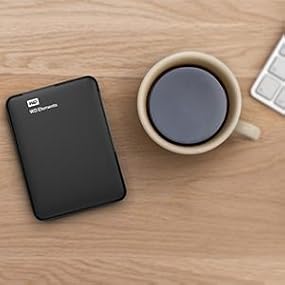
💼 Elevate your digital game with storage that works as hard as you do.
The WD 2TB Elements Portable External Hard Drive offers a robust 2TB capacity with fast USB 3.0 connectivity, ensuring quick and reliable data transfers. Compatible across multiple platforms including PC, Mac, PS4, and Xbox, it’s designed for professionals and creatives who demand dependable, portable storage. Its compact size, low power consumption, and quiet operation make it an essential tool for managing large files on the go.


| ASIN | B00D0L5BH8 |
| Batteries | 6 Unknown batteries required. |
| Best Sellers Rank | #53 in External Hard Drives |
| Brand | Western Digital |
| Color | Black |
| Customer Reviews | 4.6 4.6 out of 5 stars (13,071) |
| Date First Available | May 24, 2013 |
| Flash Memory Size | 2 |
| Hard Drive | 2 TB Portable |
| Hard Drive Interface | USB 2.0/3.0 |
| Hardware Platform | PC;Mac |
| Is Discontinued By Manufacturer | No |
| Item Dimensions LxWxH | 4.4 x 3.2 x 0.82 inches |
| Item Weight | 4.6 ounces |
| Item model number | 103751 |
| Manufacturer | WD |
| Number of USB 3.0 Ports | 1 |
| Operating System | Windows 8, 7, Vista & XP |
| Product Dimensions | 4.4 x 3.2 x 0.82 inches |
| Series | WD Elements Portable |
A**N
A nice no-frills USB Powered Portable Drive.
I purchased the 2 TB model, and it's working perfectly in both Windows and Linux. The drive came preformated for NTFS but can easily be reformatted for specialized Mac or Linux file systems using standard operating system utilities. It didn't come with much in the way of a user guide, but it doesn't really need one, it just plugs in and pops right up as a standard storage device like a thumb drive. Physically, this drive is a bit heavier and just a little thicker than some of the lower capacity USB powered drives I have used, but is still incredibly compact at only a little over 3 by 4 inches by just over a half inch thick (about the size of a pack of those larger sized bicycle playing cards). The plastic drive case isn't fancy, and probably won't fend off an attack from an angry bear, but it's adequate given the fact that, like any portable drive, you will want to be careful about severe shocks and drops anyway. Despite the compact size, and lightweight plastic case, the drive weighs in at close to half a pound and feels pretty hefty and substantial. Power consumption, even for the largest 2 TB model, is still low enough to work on a single 500ma USB port (no 2 port Y-Cable or external power needed). Not only that, but even after extended operation, transferring hundreds of gigabytes of data for example, the drives case barely even starts to get warm. Mechanically, my drive is so quite and smooth in operation that you have to really feel carefully to even tell if it is spinning. You can feel very slight jogs internally when the drive is seeking, but it's barely noticeable, and if anything, smoother and quieter than most of my other portable hard drives. I wasn't able to read the RPM with my hard drive utils, but if it is 5400 as some have reported, that doesn't concern me too much, because data transfer rates are still quite reasonable. For example, I can stream 1080 or even 4K HD video direct from the drive to my PC with no hiccups or buffering issues. These days, with the super high data density platers on these compact drives you can get reasonably fast data transfers without spinning at 7200, and if you don't absolutely need the faster RPM, then it's actually better to design the drive to run at a lower RPM, because it allows the drive to run cooler, use less power, and reduces wear, giving higher reliability and longer life. I read a comment here about some kind of pouch being included, but my drive did not come with any accessories other than the required USB cable (but luckily I already had a small neoprene zippered pouch on hand to transport the drive when on-the-road). Because the drive is powered by the USB, I'm extra careful to properly 'remove' the drive in the operating system before pulling the plug, because hard drives don't like to loose DC power while they are still writing, which could happen if you pull the USB plug out before properly removing the device in your O.S. This isn't too difficult, but could be a little confusing given the way the indicator LED works on this drive. The 'Elements' drive has a simple single color white LED which does double duty to indicate both read/write access AND spindown/standby with a potentially confusing flashy-flashy code. Rapid flashing indicates the drive is busy reading or writing, where SLOWER flashing indicates that the drive has spun down and gone into a standby state. So you NEVER want to remove the drive while it's QUICKLY FLASHING (and could be writing), but it's generally OK to remove the drive after it has spun-down and is SLOWLY FLASHING. Expecting the user to be able to make this distinction based only on the flashing rate seems like a dumb idea. It would be better if the LED would change color in spin-down standby, and go out completely after you remove the drive in your O.S. like some other drives, but this is a pretty minor issue once you figure it out, so overall I still rate this drive a solid 5.
R**T
Great Companion for Tablo 2-Tuner System
Recently purchased this along with a 2-tuner Tablo unit (see my separate review) to help us in our cord cutting project. It has performed flawlessly since installation in June. Considered this as the unit to buy as it was listed as a reliable and compatible HDD companion to the Tablo. This truly was a "plug and play" experience, so why mess with success? Because we delete programs right after we watch them, there should be no problem of gradually filling up the drive's capacity. It continues to give us a way to "preserve" the ability to record and time shift some of our TV watching...at least for all our OTA channels. This unit and the Tablo are networked to the Roku devices around our home, so we still can watch programs wherever we wish. Now, if we could find a way to record/time shift some of our favorite programs on TNT (now viewed on the SlingTV app on our Roku's), then all our bases would be covered. With cord cutting, you can't have everything, but one can wish just the same. With our developing alternative TV system, we will be able to watch just about everything we have been viewing on our satellite-based TV service, but at much less than half the monthly cost. This is combined with changes made to our cable internet and telephone package too (we now have an Ooma telo unit [also reviewed separately] and have returned the rented cable modem). Now we're talking about even more money that stays at home each month. The WD Elements 2TB Portable Hard Drive definitely is a valued part of our complete new system.
A**N
"1.8 TB" actual, but expected.
**XBOX ONE OWNERS** This is a nice, compact drive that is lightweight, and can safely be "stacked" on top of a console or PC with no threat of crushing or leaving indents after long periods of sitting. It can easily become inconspicuous, and even in view it is not much of an eye sore. As a matter of fact, it's black coloring goes just fine - sitting on top of my XBox One(top left - DO NOT PLACE THE DRIVE ON THE TOP RIGHT OF THE CONSOLE WHERE THE VENTILATION IS). XBox One owners who have reached their storage limits would appreciate this. It IS practically "PLUG & PLAY". Practically, because you must not plug the drive usb into the console until you have FIRST powered up your console. I plugged - then powered up the first attempt, and the XBox didn't even sense it. Power up the console(give it time to load your home screen), plug in the HD's usb(I plugged it in the "rear" of the console), go to "Settings", then "Storage". **NOTE: It slipped my memory, but either right after plug in, or immediately after choosing the WD drive for future memory(next step), it will ask if the drive's primary use is for "photos and media", whether you have current photos on the drive, and/or is it for your "game saves and downloads". Know that it is about to format the drive, so if you have photos saved prior to moving it to the XBox - keep this in mind...you could lose them.** I provided pictures, but you will notice your consoles built in memory option at first, and the WD Hard Drive option should be showing to it's right. You may immediately notice something seemingly off... "1.8 TB???" You haven't been ripped off. Think of that unprovided(to you) ".2 TB" as the HDrive's functioning brain. The drive needs memory space of its own to be the think tank for services provided to you. A brainless drive is a dead drive. Just click or choose to switch your memory(and future downloads) to the WD drive. Somewhere either right before or right after, it will ask your preferences on what kind of content you want saved. After formatting, IT'S SET. It showed "27.1%" memory used(for me), leaving that 1.8 TB. My explanation will take much longer to read than setting this up yourself. It's quite easy. I have since successfully re-downloaded games that I had to delete to make room for others, and I have also successfully downloaded new ones. We even had a recent power outage flicker - no harm to the drive. So far, so good, and at one of the most reasonable prices on Amazon in it's class.
J**R
He usado discos de Western Digital durante años. El modelo WDBU6Y0020BBK-EESN con capacidad de 2 Terabytes e interfaz USB 3.0 es el quinto que he comprado de este fabricante. Estoy muy satisfecho con su compra por su excelente equilibrio entre capacidad y precio. Ventajas: + Excelente equilibrio entre capacidad y precio, garantizado por un fabricante con buena reputación. + Compatible con NTFS para Windows 8, Windows 7 o Windows Vista. Puedes también formatearlo para Mac OS X o Linux. + Tamaño muy reducido que favorece el transporte. + Es muy ligero (231 gramos). + Conectividad USB 3.0 (hasta 5 Gb/s) y compatible con USB 2.0 (hasta 480 Mb/s). + Garantía limitada de 3 años ofrecida por el fabricante. Desventajas: + El disco duro está soldado al conector dentro de la carcasa. + El LED permanece encendido en todo momento. Conclusión: He usado a diario el disco durante meses con excelentes resultados. Es rápido, cómodo para el transporte y no he experimentado ni un solo fallo. Lo uso para mis copias de seguridad locales. Estoy muy satisfecho por su gran calidad. Recomiendo su compra. ¡Espero que este comentario te haya resultado útil!
A**I
Still going strong !
A**O
Questo Hard Disk è spettacolare, come sempre la WD Elements non mi delude. La cosa che mi ha stupito più di tutti, e questo perché io sbadatamente non l'avevo letto, è la "piccolezza" di questo HD. Sembra assurdo, ma è piccolissimo e leggerissimo. Io credevo che fosse grande quanto i soliti HD, ma di poco più fino, invece quando ho aperto la scatola mi sono ritrovato ad avere un oggetto grande quanto il palmo della mia mano! Forse per le persone che comprano un HD esterno per la prima volta non possono rendersi conto di cosa significa. Ricordo ancora 4 anni fa, quando comprai un WD elements da 1,5 TB. Esso è grande, pesante e richiede una corrente esterna. Ogni volta per me è un peso e una scomodità montare tutto l'ambaradam solamente per trasferire di tanto in tanto qualche file. Questo mi sembra un sogno! Ancora non riesco a crederci perché è l'esatto opposto: cioè ha un contenuto maggiore, è leggero, piccolo, non ha bisogno di un trasformatore e oltretutto è veloce nel caricamento dati. Vi posso assicurare che vale veramente la pena acquistarlo, sopratutto a questo prezzo. Forse, in parte, sono d'accordo sul fatto che il cavo USB è corto, ma sinceramente per un computer portatile o per chi ha una piccola prolunga usb per un pc desktop posso assicurare che il problema è indifferente. C'è sempre un motivo quando si fanno le cose professionali e sono certo che se avesse avuto un cavo più lungo sarebbe stato scomodo poterlo portare con se anche in un taschino! Perché il vantaggio di questo favoloso hard disk è proprio questo! Ripeto, se siete interessati ad un HD esterno con un bel po' di spazio allora non perdete questa occasione, non ve ne pentirete. P.s. La spedizione è stata rapidissima, posso dire che in 1 giorno mi è arrivato a casa.
L**O
Ich schreibe hier aus der Sicht eines professionellen IT Dienstleisters und habe in meinen 20 Jahren Berufserfahrung vielleicht schon ca. 250-300 verschiedene, externe USB Festplatten genutzt. Oft sind dabei auch verschiedenste Modelle von Western Digital dabei gewesen. Grundsätzlich waren die WD Geräte im Bereich Preis-/Leistung vorne mit dabei. Auch im Bereich Zuverlässigkeit genießen die WD Platten einen guten Ruf. Mittlerweile scheint sich WD jedoch mehr auf den Bereich externe Speicher-Komplettsysteme (wie NAS, externe USB HDDs etc.) zu konzentrieren als auf den Verkauf einzelner Festplatten wie noch vor 5-10 Jahren. Ich habe insgesamt zwei dieser WD Elements Portable 2TB externen Festplatten gekauft. Beide sind im Kundeneinsatz für tägliche Datensicherung eines Servers, als Alternative zu einem herkömmlichen Bandlaufwerk. Grundsätzliches zur Festplatte: Im Lieferumfang befindet sich die Festplatte, eine Kurzanleitung, sowie das kombinierte USB3.0/2.0 Anschlusskabel. Alle beiden Platten schienen laut Aufdruck in Thailand hergestellt worden zu sein. Nun zu den ersten Vor-/Nachteilen: 1. Die Verarbeitung an sich ist sehr gut. Das Gehäuse macht einen wertigen Eindruck und liegt mit seinen abgerundeten Kanten und nur knapp 230 Gramm an Gewicht gut in der Hand. Allerdings sind die äußeren Kunststoffkanten allesamt recht hart, hier hätten um Schocks vorzubeugen vielleicht ein paar weichere Gummikanten zum Einsatz kommen können. Dafür hat das Gehäuse auf der Unterseite 4 kleine ins Gehäuse eingelassene, weiche Gummistandfüße, welche das Gehäuse weich auf einer glatten Oberfläche aufsetzen lässt. Zudem wird dadurch auch die Übertragung der eh minimalen Laufgeräusche der Festplatte auf den Untergrund verhindert. Hält man das Laufwerk in der Hand sind jedoch deutliche Vibrationen zu spüren. 2. Lautstärke kaum wahrnehmbar. Im Betrieb ist die Platte angenehm leise. Eigentlich ist sie gar nicht wirklich wahrnehmbar, wenn man nicht grad ein Ohr auf die Platte legt. 3. Wärmeentwicklung Eine signifikante Wärmeentwicklung ist auch im Dauerbetrieb nicht fühlbar. Da ich die Platte auch bei Kunden zur Serverdatensicherung einsetze sind dort auch schon mal 3-4 Stunden dauernder Schreib-/Lesebetrieb angesagt. Auch hier keine spürbare Erwärmung. 4. Mitgeliefertes USB Kabel Dieses ist recht kurz und starr (inkl. Steckern gerade mal so um die 45-50 cm), aber ich kann nicht über irgendwelche Verbindungsprobleme oder Wackelkontakte klagen. Ich finde diese Länge aber echt zu kurz. Gerade wenn der Rechner unter dem Tisch steht und man die Platte auf den Tisch legen möchte wäre hier ein längeres Kabel hilfreich. Aber das ist meine persönliche Meinung. Wer längere Kabel braucht bekommt diese hier bspw. unter: DELOCK Cable USB 3.0 A > Micro USB 3.0 1m DELOCK Cable USB 3.0 A > Micro USB 3.0 1m oder Cable Matters SuperSpeed USB 3.0 Type A auf Micro-B Kabel Schwarz - 1m Cable Matters SuperSpeed USB 3.0 Type A auf Micro-B Kabel Schwarz - 1m Beide Alternativ-Kabel haben eine Länge von 1,00 Metern. Das sollte dann wohl ausreichen. 5. Performance Die Festplatte kommt vorformatiert im NTFS Format. D.h. sie kann im Lese-/Schreibbetrieb an einem Windows System und nur Lesend an einem MAC OS X basierten System betrieben werden. Zur schreibenden Nutzung am MAC muss die Platte erst auf das Apple eigene HFPS oder FAT umformatiert werden. Zur Nutzung auf MAC/PC parallel empfiehlt sich FAT, da dieses Filesystem von beiden OS unterstützt wird. Die Schreib-/Leseperformance bewegt sich im guten, oberen Durchschnitt einer USB 3.0 Festplatte. Tests an 1 MAC Book Retina (OSX EL Capitain 10.11.1, Early 2015), 2 PCs mit Windows 10/7 64bit und an einem Windows Server 2012 Datenserver ergab nahezu identische, recht ordentliche Schreib-/Leseraten von ca. 111 MB / Sekunde. (Sequentielles Lesen/Schreiben). Dies waren jedoch alles USB3.0 Geräte. Die Testprogramme waren Black Magic Disk Speed Test auf der MAC Seite und Crystal Disk Marc 5.03 64 bit auf der PC Seite. Ein Test mit dem älteren Laptop meiner Freundin mit USB 2.0 Schnittstelle ergab einen deutlichen Performanceunterschied (der natürlich zu erwarten war) : Ca. 16-21 MB / Sekunde. Das liegt natürlich daran das USB 2.0 eine deutlich geringere Übertragungsrate hat. Aber immerhin funktioniert die Festplatte auch abwärtskompatibel an USB 2.0 Geräten. Das habe ich leider auch schon mehrfach ganz anders erlebt mit USB 3.0 Geräten. Was bei der Festplatte in Bezug auf die Performance noch sehr positiv auffällt, ist einmal die Zeit die sie benötigt um nach dem Anschluss am USB Port parat zu stehen. Diese ist wirklich angenehm kurz. Natürlich spielt hier das angeschlossene PC-/Laptopsystem und dessen USB Funktionalität auch noch eine Rolle. Aber an meinem MACBOOK mit SSD steht die Platte nach dem anstecken in ca. 2-3 Sekunden zur Verfügung. Das ist sehr gut. Etwas Negatives zur Performance : Diese Platte liefert wirklich sehr gute Ergebnisse im sequentiellen Lese-/Schreibbereich. Im Random Lese-/Schreibtest geht die Performance schnell in den Keller. Hier wird plötzlich nur noch eine Performance von ca. 0,5-1,5/S erreicht (siehe Screenshots). Natürlich ist dieses Random testen des Crystal Marc eine Situation wie sie im Alltag eher seltener vorkommt, jedoch ist dies schon ein deutliches Anzeichen dafür das die Performance bspw. beim Kopieren tausender einzelner Foto-/Musikdateien die an verschiedenen Stelle der Festplatte liegen könnten deutlich niedriger sein wird, als wenn bspw. große Dateien in Form von mehrerer GB großer Videodateien gelesen-/geschrieben werden. Um hier Klarheit zu schaffen habe ich zusätzlich zu dem synthetischen Benchmark dann noch ein Testverzeichnis auf meinem Laptop, das über ca. 25.000 Dateien bei knapp 2,5 GB verfügt. Dieses wurde auf die WD mit im Schnitt ca. 10-15 MB/S übertragen. Also deutlich langsamer als im sequentiellen Schreiben, aber deutlich schneller als der extrem synthetische Random Test. 6. Stromverbrauch Die Festplatte unterstützt „Green“ Funktionalität am USB 3.0 Port. D.h. der PC/Laptop kann den USB Port und damit die Platte bei Nichtnutzung abschalten. Dabei geht die Platte dann tatsächlich aus und verringert ihren Stromverbrauch nahezu komplett. Eine gute Geschichte gerade wenn man mobil mit Laptops arbeitet und nicht immer daran denkt die Platte abzuziehen, wenn man sie gerade mal nicht braucht. Das reduziert auch den Stromverbrauch und verlängert die Laufzeit unterwegs. Dicker Pluspunkt ! Die Festplatte wird allein durch das USB Kabel mit Strom versorgt und benötigt keine weitere externe Stromversorgung. 7. Verschiedene Betriebssysteme Ich habe die Platte mit einem MACBOOK PRO mit aktuellem OSX Maverick, mit Windows 7 PC, Windows 10 PC, an meinem Synolgy NAS DS413, und mit einem Android Tablet via OTG Kabel getestet. Es traten keinerlei Kompatibilitätsprobleme auf. 8. Langlebigkeit Die beiden Platten befinden sich im täglichen (oder besser nächtlichen) Dauergebrauch zur Datensicherung seit 3 Tagen an einem Server täglich wechselnd im Einsatz. Bisher konnte ich hier weder mit den Festplatten, noch mit den USB Kabeln Probleme feststellen. Ich werde an dieser Stelle ein Update geben, sollte sich dies ändern. Interessant ist (und das wissen die wenigstens) das auch WD Platten über einen integrierten G-Sensor verfügen, der die Platte (vorausgesetzt die Platte ist gerade mit Strom versorgt) „warnt“ falls diese bspw. gerade runterfallen sollte. In diesem Fall zieht die Platte ihre Schreib-/Leseköpfe blitzschnell in die „Parkposition“ so das beim folgenden Aufprall dann keine Daten auf der Magnetplatte mehr beschädigt werden können. Früher war es nämlich so, dass die meisten Datenschäden bei tragbaren Festplatten dadurch entstanden sind, das die Schreib-/Leseköpfe irgendwann mal auf der magnetischen Scheibe „aufgesetzt“ sind. Das hat meistens direkte Verluste der dortigen, befindlichen Daten zur Folge. Also auch ein tolles Mehrwertfeature was hier integriert wurde. Jedoch ist WD nicht der einzige Hersteller der dieses Feature integriert FAZIT: Eine prima Festplatte, schönes Design, angenehm in der Hand, kaum wahrnehmbar im Betrieb in Hinblick auf die Lautstärke. Die Schreib-/Leseperformance liegt im deutlich oberen USB 3.0 Bereich und preislich ist sie sehr attraktiv. Für rauere Outdoor Einsätze scheint das schick designte, aber wenig gedämpfte Gehäuse nicht konstruiert zu sein. Tolle Zusatzfeatures wie Updatebarkeit der Firmware über ein downloadbares Tool von der WD Site ergänzen das Paket. Ich würde Sie auch noch ein drittes Mal kaufen. Es liegt noch eine Testversion eines Cloud Backup Programmes WD Smartware PRO dabei. Dieses habe ich nicht getestet, da ich kein Freund von Cloud Backups bin. [...]
D**S
Comprei com o intuito de usa-lo junto ao meu xbox para armazenar jogos mais pesados, funcionou perfeitamente.
Trustpilot
2 months ago
5 days ago