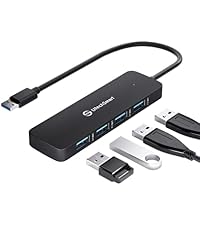
Desertcart purchases this item on your behalf and handles shipping, customs, and support to Mexico.
๐ Power, speed, and clarity โ all in one sleek hub to future-proof your workflow.
The UtechSmart USB C Hub is a versatile 6-in-1 multiport adapter featuring a 1000M Ethernet port, 4K HDMI output at 30Hz, three USB 3.0 ports with 5Gbps transfer speeds, and a 100W USB-C power delivery port. Crafted with an aluminum enclosure, it supports universal compatibility across Mac, Windows, Linux, and Chrome OS devices, making it an essential all-in-one docking solution for professionals seeking reliable connectivity and fast charging in a compact design.


| ASIN | B07H2ZS1B5 |
| Additional Features | 1000M Ethernet Port, 100W Power Delivery, 4K@30Hz HDMI, Compatible for Chromecast with Google TV and Steam Deck |
| Best Sellers Rank | #57 in USB Hubs |
| Brand | UtechSmart |
| Built-In Media | 1 * USB C Hub, 1 * User Manual |
| Color | Grey |
| Compatible Devices | Keyboards, Laptops, Monitors, USB Flash Drives |
| Customer Reviews | 4.4 out of 5 stars 10,433 Reviews |
| Data Transfer Rate | 5 gigabits_per_second |
| Enclosure Material | Aluminum |
| Global Trade Identification Number | 00639853843511 |
| Hardware Interface | USB 3.0, USB Type C |
| Item Dimensions L x W x H | 4.06"L x 6.46"W x 0.7"H |
| Item Type Name | USB C Hub |
| Item Weight | 86 g |
| Manufacturer | UtechSmart Technology |
| Mfr Part Number | UCN3273 |
| Model Number | UCN3273 |
| Number of Items | 1 |
| Number of Ports | 6 |
| Operating System | Mac OS/ Windows System/Linux/Chrome OS |
| Special Feature | 1000M Ethernet Port, 100W Power Delivery, 4K@30Hz HDMI, Compatible for Chromecast with Google TV and Steam Deck Special Feature 1000M Ethernet Port, 100W Power Delivery, 4K@30Hz HDMI, Compatible for Chromecast with Google TV and Steam Deck See more |
| Total USB Ports | 3 |
| Total Usb Ports | 3 |
| UPC | 639853843511 |
| Unit Count | 1 Count |
| Warranty Description | 12 Months Warranty by refund or replacement |
A**C
Works pretty well with the GPD Pocket 2 (m3-8100Y refresh)
I gave this 5 stars because even though it isn't perfect, I think any issues I've encountered are more likely a result of the hardware, software, and drivers I'm using. TL;DR: It basically works as expected and I can confirm that it doesn't use DisplayLink. I contacted UTechSmart before purchase to confirm if this device used USB-C HDMI Alt-mode instead of a DisplayLink chip. They confirmed it uses the former and said that though they had not tested it with a Pocket 2, if it didn't work I could return it no questions asked. Bonus points to them for that. For reference, I'm using it with a GPD Pocket 2 (late 2018 product refresh using an Intel m3-8100Y CPU), running Windows 10 LTSC 2019 and a mixture of GPD and first-party drivers (mostly direct from Intel and Realtek). This is not how it comes from GPD, and is most definitely NOT a supported configuration by either GPD or Microsoft. I'm using the latest Intel drivers available (26.20.100.7000) from the Intel site. The only persistent issue is that on my device, if second-screen mode default (Win+P) is set to duplicate or extend then neither screen will display when the hub is first plugged in. After a few seconds one of the screens will start working again. If the default is second screen only then it will work immediately. Once external display is working, using the Win+P shortcut to switch to duplicate or extend works correctly. This is most likely a Windows or driver issue. For reference the Pocket 2 has a 1920x1200 screen that I use at 150% scaling and I mostly used 1920x1080 @100% scale monitors for testing. No HDMI adapters were used and I tested with two different known-good cables. Monitors tested were two Dell S2240L, one LG IPS234, and a Panasonic TCP50GT25. I also tested on a 4k Samsung UN50NU6950 and it reported output 4k@30fps, which is close enough to the Intel UHD 615 spec for HDMI 1.4. This hub can function without external power, but if you have problems, try connecting power before you connect it to your computer. When I used it for the first time, it wouldn't appear to work without external power, but after some unrelated software and driver updates, now it does. For me, this issue was definitely on the host side, not the hub side. The network chip is a Realtek RTL8153 USB 3 to gigabit Ethernet adapter. I own several devices that use this chip and it is serviceable, but tends to reset or drop out under sustained gigabit traffic. This is a characteristic of either the chip or Realtek's drivers, and there isn't really anything UTechSmart can do about it. (The other common providers of low cost USB->Ethernet chips (e.g. the ASIX AX88179) often have the same problems.) Below max speed, the 8153 works without any problems. As an aside, if you have one of these chips in a standalone usb adapter, you can plug it into a USB 2 port to get a trouble-free 250-350 Mb/s without having to babysit it. I haven't tried stress-testing how much power you can get from the USB 3.0 ports, nor have I tried to saturate the USB-C link with simultaneous video, network, and USB SSD file transfer traffic. It doesn't really fit my use case for the device, and if doing so didn't work or caused the hub to drop connection it wouldn't necessarily be the hub's fault anyway. One feature of the GPD Pocket 2 is that it can charge from any 5V source, not just from a USB-C PD charger. So I tried to power the hub with a regular USB power bank that can output [email protected] (Soshine E3S). When charging directly, the Pocket 2 increases current draw until the voltage begins to sag below 5V. This is normal behavior and prevents the device from pulling too much current from the charger. But when I power the hub and indirectly charge the device, the power bank's over-current protection immediately trips. For whatever reason, the hub prevents the Pocket 2 from noticing the voltage drop in time to prevent a fault. A higher output 5V source, or a proper USB-C PD power bank would probably work just fine. It's just too much for a smaller power bank. So in summary it works well, the price ($40 at time of purchase) is competitive with other similar products, and if I needed another I would start looking at UTechSmart first.
G**N
An excellent companion for my Galaxy Tab S9,
I'm experimenting with replacing my Windows PC with a higher end tablet. so I wanted a docking station (let's call it the DS) to connect it to a mouse, keyboard, and most i importantly, my 28 inch display screen. So Far, So Good! This review is going through the docking station, the S9, and DEX, then displayed on a nice big screen! I REALLY like using a REAL keyboard! Once it was delivered, I rushed to my workstation to see how it worked. And it didn't! Nothing, NOTHING would work. It kept telling me to check the cables. So out of frustration, I had lunch. It turned out that the case I bought for the S9 fooled me into thinking I had the DS plugged into the tablet, but it was not. Once I had figured THAT out, the docking station, and the tablet worked well together. I like that I'm using two different RF Dongles for the keyboard and mouse plugged into the DS. I don't have to use battery power to use Bluetooth for those accessories. Plus, I still have one USB 3.0 port free. The Keyboard and Mouse don't appear to lag, at all. If it does, it is so minor that I am unable to percieve it. I like that I can power the Tablet from the DS. I'm using a 20 watt Amazon charger, and it seems to work just fine. The tablet doesn't give me any messages that I'm on a slow charge and it seems to charge as it does without the DS. The only real negative is that the cable from the DS to the Tab S9 is a bit too short for the tablet to be propped upright. The tablet display remains on, and the S Pen can be used with it. I'm thinking that I might want to use the tablet itself as a sort of touchpad sometimes. I might find applications where I would want the tablet display to remain upright. I don't know, but it MIGHT be a problem, maybe. Build quality seems good. I think the DS case is metal, at least it looks and feels like aluminum. And the cord going to the Tablet seems quite robust. I can't comment yet on reliabiy, It will take some time for that info to appear. But functionally, it is everything the seller claims it is. I am satisfied. Edit: I bought one for my wife.
R**S
A way to get must-have ports on a Mac
Ever since I got the new style of MacBook Pro I've been looking for the perfect dongle. It's a running joke that Mac users carry a bag full of dongles, and unfortunately there's some truth to it - in my backpack I have a pouch with 2x USB-A to C adapters and a USB-C to HDMI adapter. If you're looking for a solid way to simplify things you've found it. Admittedly I'd never bought a USB-C to ethernet adapter, but I had one for my older MacBook because it's good to have from time to time. This one works quite well in that regard - I'm getting gigabit speeds. I attached a speed test showing over 900 up, but my Mac shows a 1000 tx rate in network settings. The USB ports work as expected for USB 3.0. I put an image of the system report, but's showing a 5 GB speed and the transfer speeds seem to reflect that. 3 ports is a pretty generous amount - I'd almost consider a smaller adapter with 2, but if your complaint is too many USB ports that's a good sign. Unfortunately the world is not ready to live without USB type A, and this adapter has a lot of it. The HDMI adapter is 4k 30hz, and that's the best you're going to get on a multipart dongle. I've done my research looking for this exact adapter with 4k 60hz and while I've found a few that claim it, it's always 4k 30hz. If you want 60hz you need to get a stand-alone USB-C to HDMI adapter with no other ports (like the one I mentioned above). I put a photo of my Mac recognizing my 4k TV's resolution (3480x2160). The power delivery works - it charged my 15" Macbook successfully. It has 60w power delivery, so depending on your computer that may be slower than what you're used to. The 15 inch MacBook charger is 85w, but it also has 4 ports available so the power delivery isn't particularly necessary. For the 13 inch Macs with 2 ports the charger is 60w, so this will work fine. If you have the 12 inch MacBook with 1 port this would be a lifesaver - everything you need to make it usable. Overall it's a great adapter and does as well as it potentially can for every port it offers. It has an indicator light when it's on that I'm not sure actually serves any function, but the build quality is great. Aesthetically it looks great (and would look great with a space grey MacBook), though I will admit that I wish it was offered in silver to match mine. It's replaced 3 adapters I used to carry and I've gained power delivery, 1 USB port, and gigabit ethernet. The only question is durability, and if it continues to perform this way this thing checks every box. I will be sure to update my review if I have any problems with it (and how they are resolved).
K**.
Makes the USB C port more useful
It expands the connectivity options of my Windows OS laptop that only has one USB C port. The USB C port on the hub does have limited functionality over the port on the laptop, so I can't use it like I had hoped to, but the documentation and included information all warned of that limitation. Since I'm trying to connect an Apple iPad to the hub USB C port, I didn't really expect miracles. The HDMI port works perfectly fine. Overall, it is a very compact and well-built hub, and I can continue doing (99% of) what I was before but now I have two additional USB A 3.0 ports to plug in thumb drives. I would've given it 5 stars if the hub cord connector cable was reinforced and/or the USB C port functionality was expanded. (The 1% functionality that I've lost is that I still have to unplug the hub (and my second monitor) to plug in the iPad to my laptop to get the iPad to receive a charge off from the laptop. I did not do that often enough for this to be a major problem. Previously I had the second monitor occupying the USB C port 24/7, I now have more options with the hub in place.)
T**O
All-in-One USB-C adapter/dock. Works well in Linux and Windows10, plus Samsung Phone
This adapter packs a lot of features into a small 12cm device, and is perfectly usable as a portable "mini-Dock". Linux? Windows 10? Android? Yes! The design is a sleek metal case, seamless, with no visible screws. Slender, with no parts to lose, takes up very little space in the bag -- about as much as two Sharpie pens. It has a captive 6-inch cable with USB-C, and connections for USB-C PD, HDMI, Ethernet, and three USB 3.0 (blue) sockets. Inside is a USB Hub, Ethernet Adapter, and HDMI display (&audio) output. The HDMI output is driven by your computer's internal graphics adapter, so the second monitor is integrated into both Windows and Linux with no additional drivers. I believe it's done with a Via Labs VL100 "Billboard" Display Alternate mode adapter for USB-C, so it adds a second Monitor/Display instance, but not a new Display Adapter. The USB xHCI hub (VIA Labs 2109:0817 VL812 Super Speed Hub) appears on the bus, and this provides the three open USB ports as well as the new Ethernet Controller. It's a Realtek USB GbE Family Controller: VID: 0bda and PID: 8153. Drivers were automatically available in both Ubuntu Linux and Windows 10. It linked up to a 1Gb Ethernet as normal, no prompts or settings needed. For the adventurous, this UtechSmart device also works with the Samsung Galaxy S9+, and surprisingly well! Plug a USB Thumbdrive into the ports and it appears as a Storage Device, perfect for copying pictures off the phone. The Ethernet works as well, and automatically gets a DHCP address and switches over to wired connection. The HDMI monitor shows a clone of the Galaxy S9+ screen in perfect detail. Best to rotate the phone to horizontal to make the most of the monitor. (Sorry, no Samsung Dex environment here, but a USB Mouse and Keyboard work just fine.) Powering the adapter also charges the phone, as expected, but not as fast as a direct connection. I was more impressed that the phone happily powered the whole adapter, with HDMI, Ethernet, and USB from its own battery, no problem. I was going to poke fun at the whole Phone + Adapter + Monitor, Ethernet, USB Drive, Keyboard, Mouse, but now that it's been running for a while on my desk, I'm imagining it could be useful if you intend to be at your phone for hours, hammering out email or Amazon reviews. All in all, this is a really nice piece of kit to have in your travel bag, or as a single-connection desktop dock. It has replaced my USB-On-The-Go (OTG) adapters, as those were always a bit sketchy with some USB devices, and prevented charging.. Even if I don't need all the features, it's small enough on the bag that it's replaced a number of other adapters already. I accepted an offer to test and review this device, and received it for free, but this is my honest and unbiased review. Pictures are my own.
R**N
Well-made and portable
I needed a powered port expander for my DELL laptop. I was having issues with data/communication to my printer and I read that a powered port extender would solve this. This is the right tool for the job with a few caveats. The multi-port is solid and well built and lightweight for travel. My new DELL Inspiron 16 uses a smart power adapter. The system must have a minimum of 65 watts to boot up. When I attach the power adapter to the muli-port and then the multi-port to the laptop, get a message about a weak charge (see attached photo). Working with the vendor and their support team, we tried several options. They even sent me a 2nd unit at no added charge. Sadly, the problem was still showing. I suspect the smart power adaptor is sensing the draw of the multi-port regardless of the laptop and stepping down to a lower wattage. Ultimately, I connected the power adapter directly to the laptop and then used a spare power adapter just for the multi-port. My laptop now reboots properly and I have the powered multi-port I needed to support an additional display (HDMI), HP Desk Jet (USB 3.0), I-Book (standalone hard drive), a spare USB 3.0 port for thumb drive, and a port for my original non-powered 4-port USB extender which I still use for my free-standing keyboard, and my laptop vent (fan) system. The USB-C cable used to connect the multi-port to the laptop is about 5 inches long, so I had some rearranging to make this spaghetti mess to workout. I'm told it's to minimize data loss/corruption to drives, monitors, etc. Everything now works great. The support team was very helpful and patient. Never condescending or argumentative. They responded to my original review the next day and offered a refund or a new device while we worked on the problem. I kept the device and didn't seek a refund. I'm very happy with them. Do I wish it worked with the laptop adapter instead of a 2nd adapter? Sure, but I don't see this as their problem but something with the DELL.
M**N
not one problem... works like you think it should
not one problem on my macs
R**C
Unsatisfied and frustrated. Seller, please contact me.
7/16/21 purchase date review & 2 month follow-up update that follows: I don't know what to think of this thing. I followed the included connection instructions and it did not do what it advertised, for me. "Plug peripherals into unit. Plug power source into unit. Plug unit into your device." At that point, i expect to see the led light on the unit to come on, have the ability to access any/all connected peripherals, and enjoy the unit I just spent my hard earned money on. That was not my case. The "led powered light" never came on, first of all, so i disconnected everything and reconnected everything in the order the instructions specified many times and the results were 1. I either had Ethernet access with no power distribution or 2. The exact opposite. Never both simultaneously, which it is supposed to do. I, also, tried several different connecting orders, same results. I tried said combo arrangements with several different charging cables and wall chargers to make sure i was getting adequate power delivery to the unit to be able to distribute. Same results. I turned to Amazon technical support, which was a mistake, as trying to explain what was happening and what i tried to do to correct the issue only confused them more and more. Frustrated, i requested an exchange. Upon receiving the replacement, I followed the same procedures with mixed but similar results. Sometimes it would work correctly, sometimes not. I'll chance the possibility that I may be doing something incorrect on my end. That's only fair. But, so far, I'm a bit frustrated with this. I expected to purchase and enjoy the ease of plug and play and go about my business as a satisfied customer. But that seems to be rare results with these Chinese Amazon products regardless of any review, good or bad because i always seem to be the one to be on this end of the stick. I will reserve judgement with a 2 star rating and hope that the seller can contact me with better instructions on how to make this thing work properly. Contacting UTECH support was equally useless. If the seller does contact me and my situation improves, i will return with a better review. Until then, i stand here. Unsatisfied and frustrated that i spent my money on this to get the results I've gotten and wasted my valuable time with all attempts to correct issues. This is not what i had in mind. 9/12/21 2 month update: The unit continued to work only intermittently, until it finally stopped working altogether. Educated guess, both had faulty power ports. What are the odds of 2 units, back to back, having the same issue? The unit is, now, past the return window so I am forced to eat the $30 purchase price, including the headache over the whole matter. The seller never contacted me, as requested. Highly disappointed, to say the least. For the majority, it appears the unit has worked out well. Lucky them. But for me... Not so. 2 strikes and I was out. I worked hard for that money and with inflation as it is and the cost of everything rising, spending my hard earned money on leisurely items is not something that I do much of these days and had to budget wisely in order to cover the purchase price. If you purchase this unit, odds are in your favor for a solid product. As for me, I think I will save and spend a few more dollars and purchase name brand, American built, products (if there is such a thing these days). All I can say is, Good luck to you. I hope it works out. My days off buying cheap Chinese brands to save a dollar are over.... And never will I purchase from this seller again. You had 2 months to contact me guys! What happened to taking care of your customer after the sale? If I could rate 0 stars, I would.
C**N
Utilissima
L'HUB รจ ben fatto e funziona bene. Lo uso come Docking Station sul mio HP Elitebook G7. Dal momento che l'alimentatore USB-C di HP ha i Watt giusti (45W) per alimentare solo il portatile, consiglio di collegarne all'HUB uno di almeno 65W in modo da poter alimentare l'HUB e il portatile con un solo alimentatore.
C**Y
Correspond aux attentes
Le produit correspond aux attentes, rien ร redire. Livraison rapide.
S**L
Purchase for Google TV
After reading some reviews I purchased this hub to allow a CAT 5+ connection & USB storage for my Google TV. It works perfectly, in fact it works so well that a I ordered a second one. This hub is small enough to easily hide behind your TV & offers all the features that I was looking for. Highly recommend, it simply works.
N**R
Useful hub. HDMI may not work on all devices
I bought this for an Doogee U10 android tablet, mainly for the additional USB ports and for the wired ethernet adapter. Everything works fine except the HDMI, but apparently that's a problem with the tablet not supporting DP Alt mode through USB C. Nothing wrong with this hub.
H**S
Adabter
Ware ist okay
Trustpilot
1 week ago
2 months ago